
Managing Policies
This guide covers how to browse available policy types, create policy instances, and configure their parameters. For attaching policies to specific functions on your contracts, see Protecting Target Functions.
Policy implementations vs policy instances
ACE distinguishes between two concepts:
- Policy implementation — A reusable policy template (smart contract code) that defines specific compliance logic, such as an allowlist check or volume limit. ACE provides a pre-built library of audited implementations, and you can register your own custom policy implementations, which are scoped to your organization.
- Policy instance — A deployed copy of a policy implementation, configured with your specific parameters and associated with a policy engine. You create a policy instance from an implementation and then attach it to target functions via protections.
For example, the "Allow List Policy" implementation can be instantiated multiple times with different allowlists.
Browse policy implementations
-
In the Chainlink Platform, go to Compliance > Policy Manager in the left sidebar.
-
Click on the policy engine you want to browse policies for.
-
Select the Policy types tab. You see a list of all available policy implementations with their descriptions.
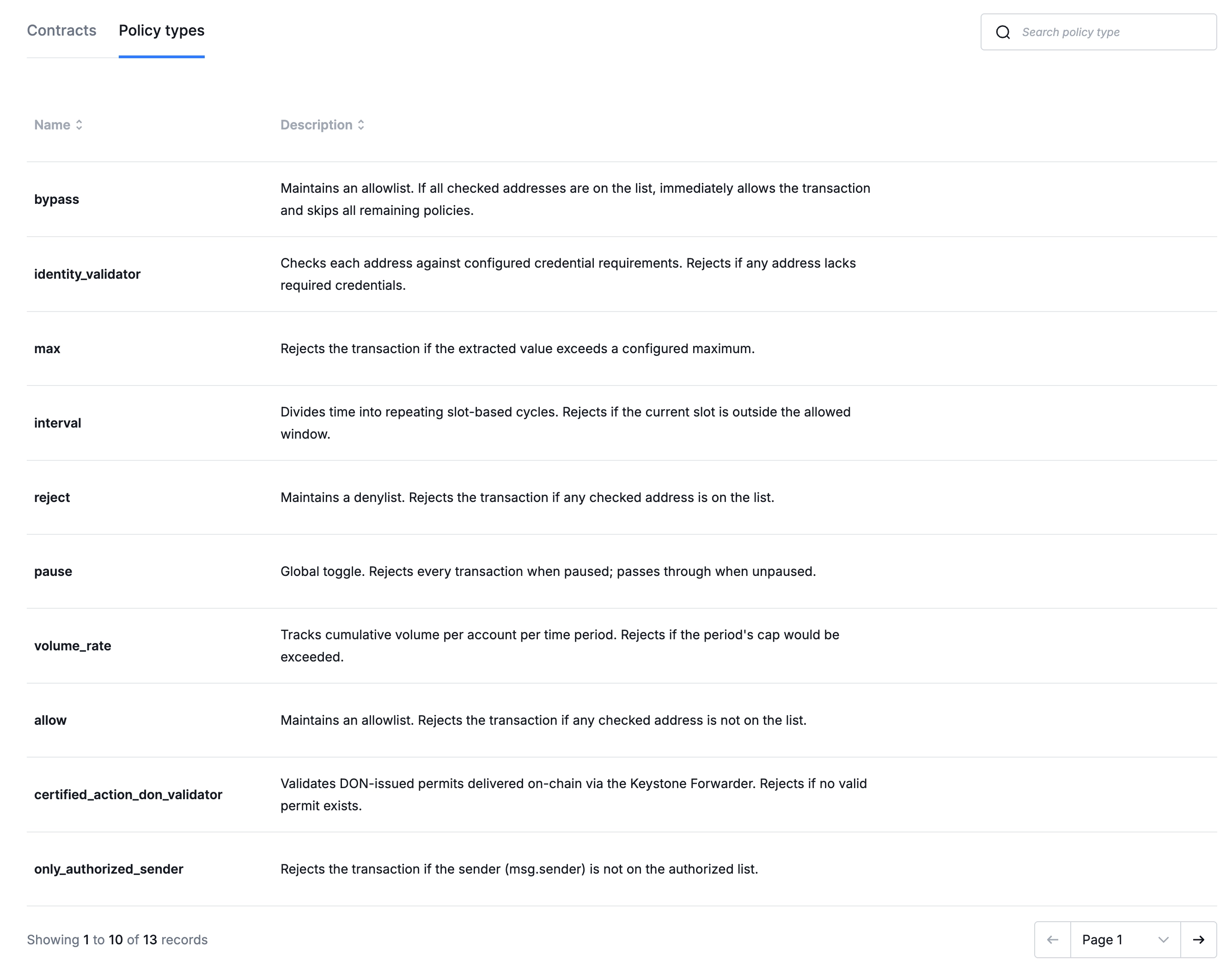
Policy types tab showing available policy implementations.
List all policy implementations:
curl https://ace.api.chain.link/v1/policy-implementations \
  -H "Authorization: Apikey <API_KEY>"
| Parameter | Description |
|---|---|
page | Page number (default: 1) |
page_size | Results per page (max: 100) |
include_onchains | Include on-chain contract details (default: true) |
To retrieve a specific implementation by ID:
curl https://ace.api.chain.link/v1/policy-implementations/<IMPLEMENTATION_ID> \
  -H "Authorization: Apikey <API_KEY>"
Create a policy instance
A policy instance is created from a policy implementation and deployed on-chain within a policy engine.
- From the Policy types tab (see Browse policy implementations above), click on the policy implementation you want to use.
- Click the + Add instance button.
- Follow the wizard to configure and create your policy instance.
Select a policy implementation below to see its configuration fields and get a ready-to-use curl command. Each implementation has a policy_config_schema that describes its configurable fields — the tool below extracts the key information you need.
| Field | Required | Description |
|---|---|---|
name | Yes | Human-readable name for the policy instance |
description | No | Description of the instance's purpose |
policy_implementation_id | Yes | UUID of the policy implementation to instantiate |
policy_engine_id | Yes | UUID of the policy engine to associate with |
onchain_policies | No | Array of per-chain deployments with chain_selector and initial_config |
Each on-chain policy starts in creation_pending status until deployment completes.
View and filter policies
- From the Policy types tab (see Browse policy implementations above), click on the policy implementation type you are interested in.
- The list of policy instances created for that implementation type is displayed.
List all policy instances:
curl https://ace.api.chain.link/v1/policies \
  -H "Authorization: Apikey <API_KEY>"
| Parameter | Description |
|---|---|
page | Page number (default: 1) |
page_size | Results per page (max: 100) |
include_onchains | Include on-chain deployment details (default: true) |
target_id | Filter by target |
policy_engine_id | Filter by policy engine |
name | Filter by name |
status | Filter by on-chain status (creation_pending, creation_failed, created) |
only_with_active_protections | Return only policies attached to at least one target function |
target_address | Filter by target contract address |
To retrieve a specific policy by ID:
curl https://ace.api.chain.link/v1/policies/<POLICY_ID> \
  -H "Authorization: Apikey <API_KEY>"
Update policy configuration
After deploying a policy instance, you can update its on-chain configuration parameters — for example, adding an address to an allowlist or changing a volume threshold — without redeploying the policy.
- From the policy instances list (see View and filter policies above), click on the policy instance you want to update.
- A detail drawer opens on the right side of the screen.
- Click the Edit configuration button to modify the policy's parameters.
- Follow the wizard to update the policy's configuration.
Update policy configurations with a PATCH request using JSON patch operations:
curl -X PATCH https://ace.api.chain.link/v1/policies/<POLICY_ID>/configs \
  -H "Content-Type: application/json" \
  -H "Authorization: Apikey <API_KEY>" \
  -d '{
    "patches": [
      {
        "op": "add",
        "path": "/allowList/-",
        "value": "0x3333333333333333333333333333333333333333"
      }
    ]
  }'
The JSON patch format follows RFC 6902. Common operations:
| Operation | Description | Example |
|---|---|---|
add | Add a value | Add an address to an allowlist |
remove | Remove a value | Remove an address from a list |
replace | Replace a value | Change a threshold |
Archive a policy
Archiving a policy instance removes it from active use. All target protections that reference this policy must be archived first.
Archive a policy with a PATCH request:
curl -X PATCH https://ace.api.chain.link/v1/policies/<POLICY_ID> \
  -H "Content-Type: application/json" \
  -H "Authorization: Apikey <API_KEY>" \
  -d '{
    "status": "archived"
  }'
Related pages
- Policy Management — how policy chains and evaluation work
- Policy Library — pre-built policy implementations with configuration details
- Managing Policy Engines — create the engine your policies belong to
- Protecting Target Functions — attach policy instances to target functions
- Policy Ordering & Composition — how to compose effective rulesets
- Coordinator API Reference — full API schema